
Turn Your WordPress Site Into a 24/7 Sales & Support Powerhouse
Transform your website into an intelligent assistant that answers questions, recommends products, manages FAQs, supports 40+ languages, and helps customers buy — automatically.
Formerly AICA IntelliAgent
AI Support • AI Sales Assistant • Automated Knowledge Base • WooCommerce Ready

AI That Sells, Supports & Learns From Your Visitors
IntelliAgent AI becomes a trained digital employee helping visitors discover products, resolve questions instantly, and guiding them toward conversion.
Smart Content Sync
Automatically scans pages, products, and files to build a private AI knowledge base updated using WP-Cron.
WooCommerce AI Commerce
Recommend products, assist purchases, enable add-to-cart actions, and help customers track orders directly inside chat.
40+ Language Support
Serve global audiences instantly with multilingual conversations without translation plugins.
AI FAQ Management
Automatically answer and organize frequently asked questions while improving from real conversations.
Feedback & AI Training
Collect user feedback and continuously improve assistant accuracy and performance.
AI Insights & Summaries
Understand visitor intent and export conversation analytics instantly.
Multi-Model AI Support
Choose your preferred AI provider anytime. IntelliAgent AI supports multiple models including OpenAI, Google Gemini, and Grok, allowing flexibility, cost control, and future-proof AI infrastructure.
Explore the IntelliAgent Interface
Powerful on the inside, simple on the outside. See how easy it is to manage your AI agent, sync your store, and track performance.
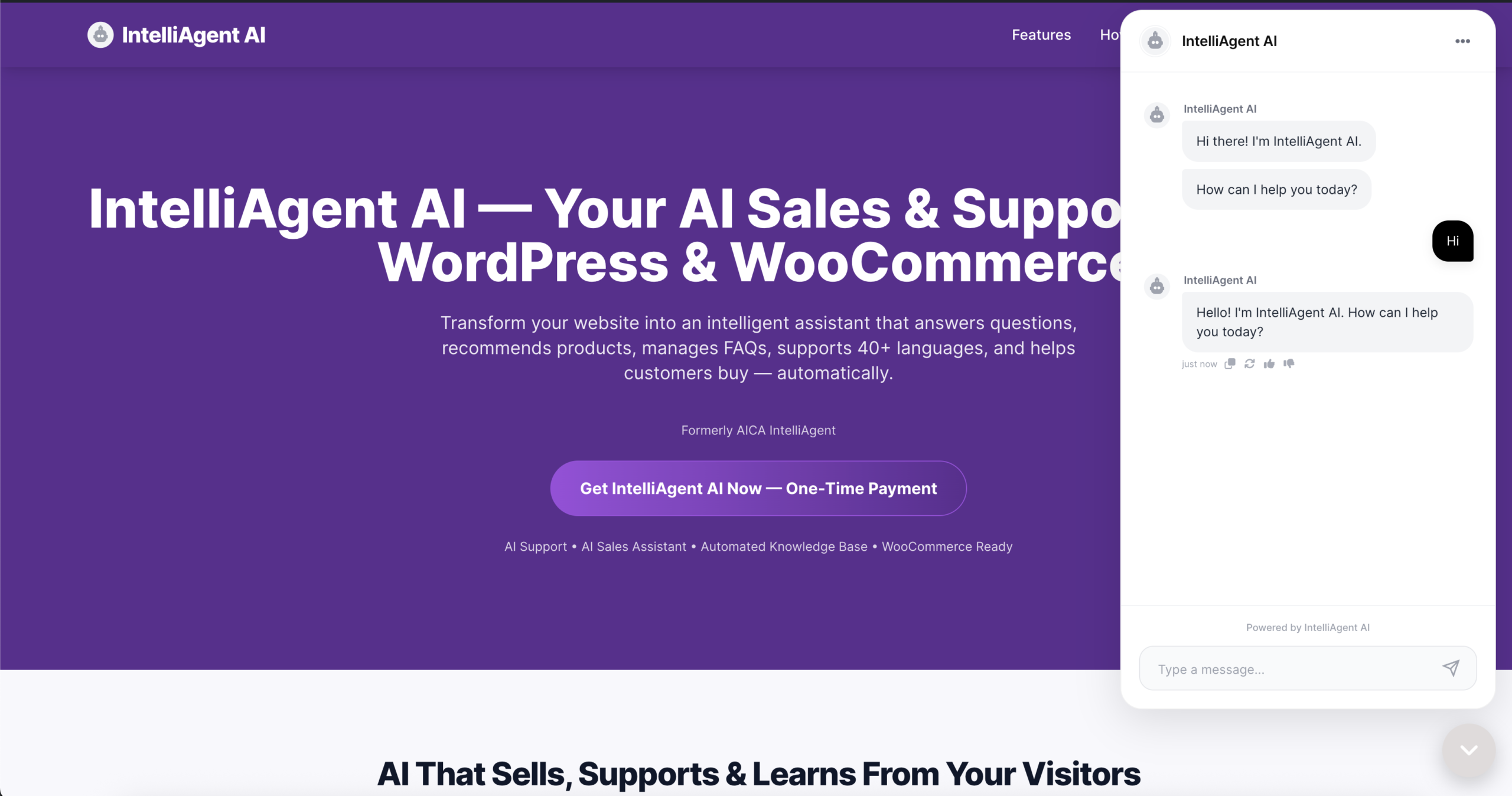
Customer-Facing Chat Interface
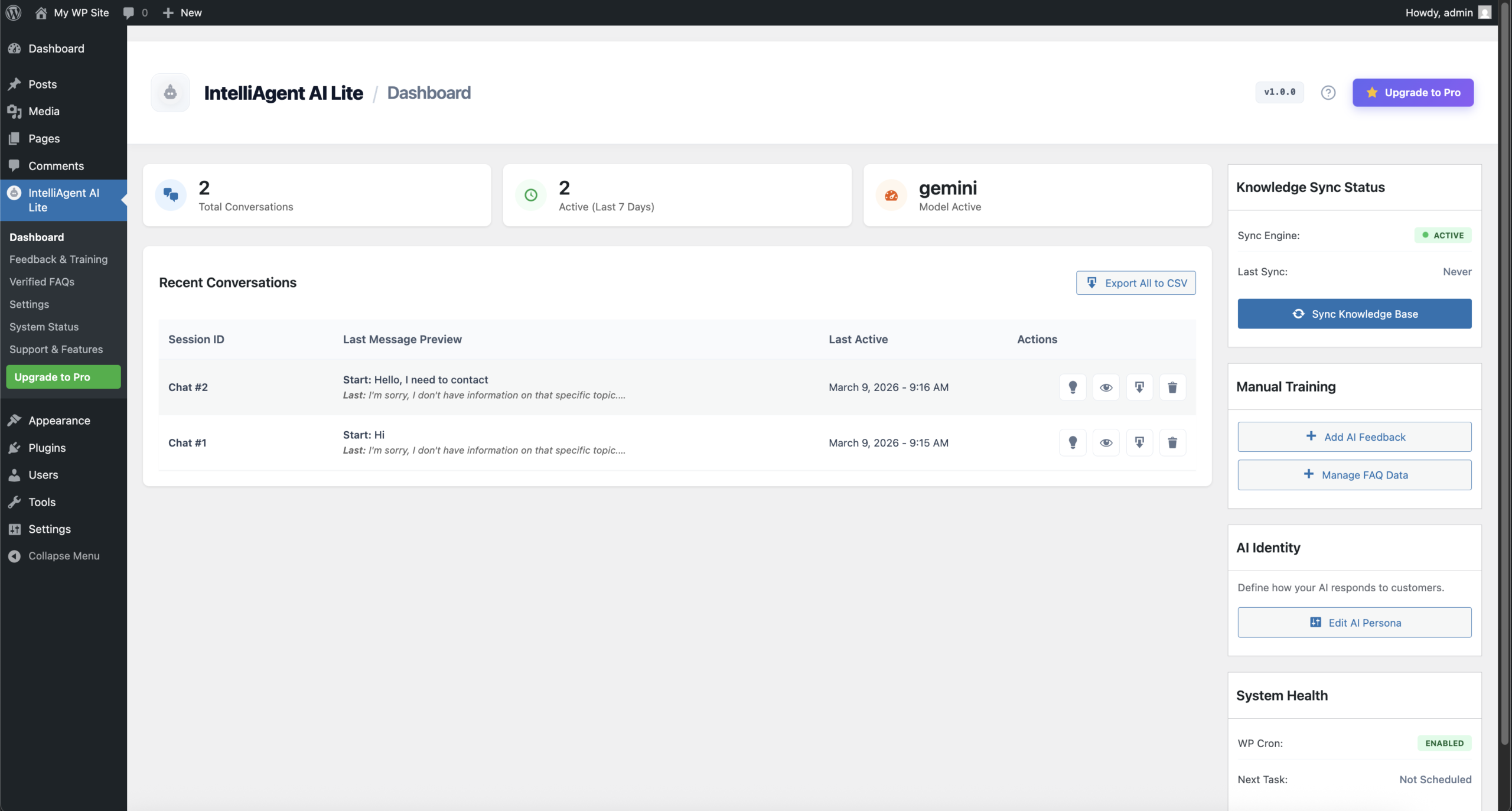
Intuitive Admin Dashboard
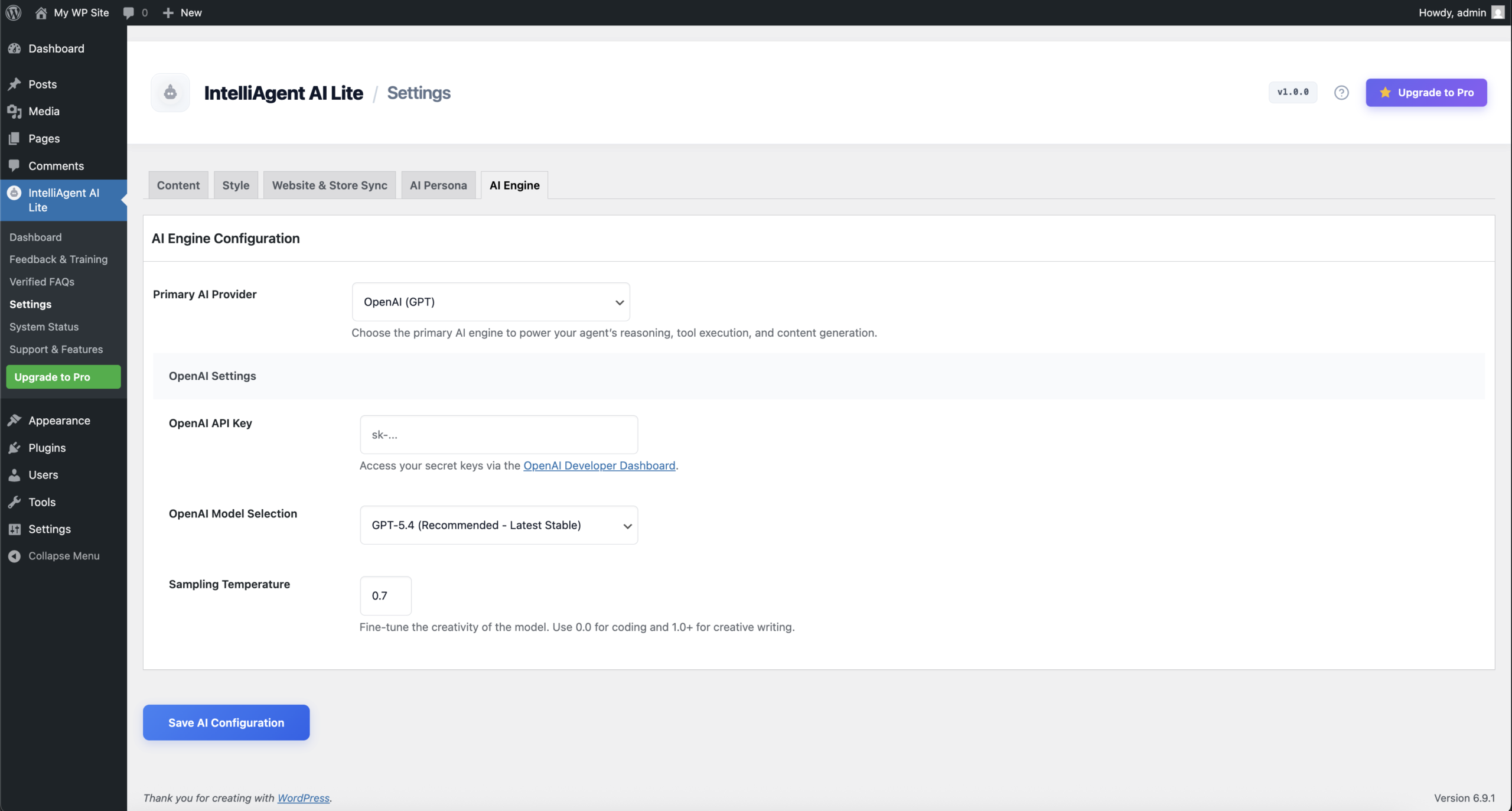
Multi-Model AI Configuration
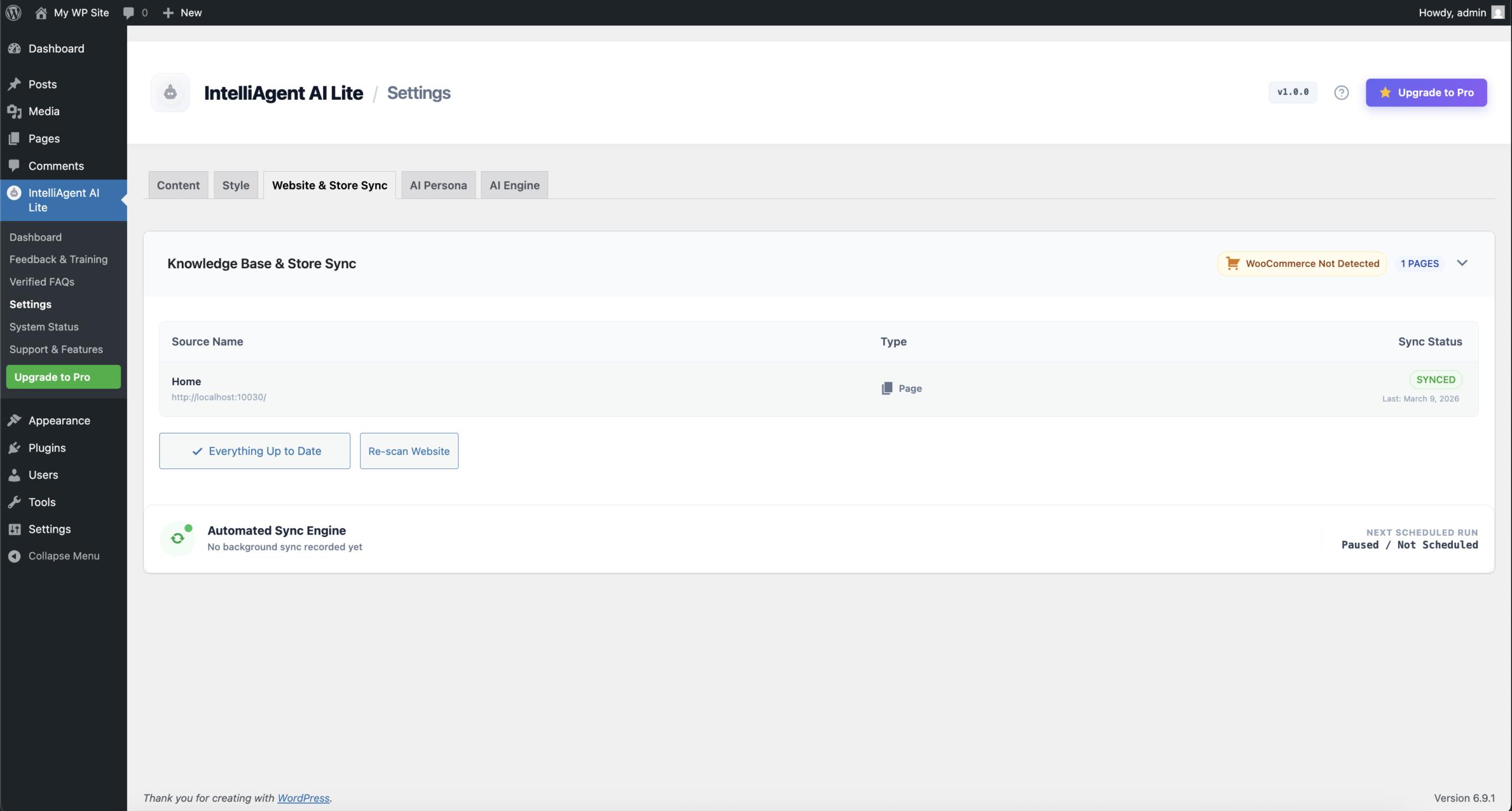
WooCommerce & Content Syncing
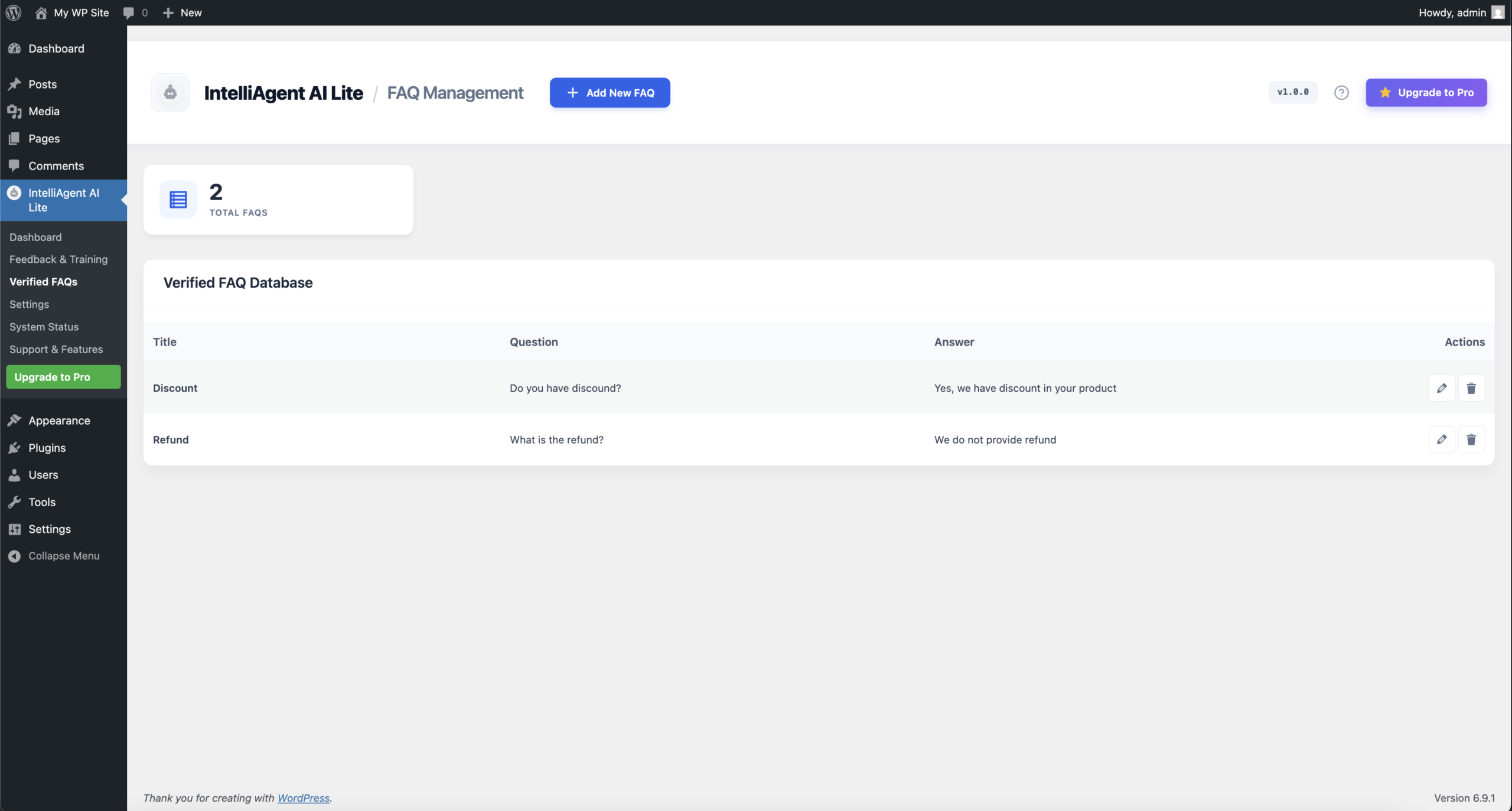
Automated FAQ Knowledge Base
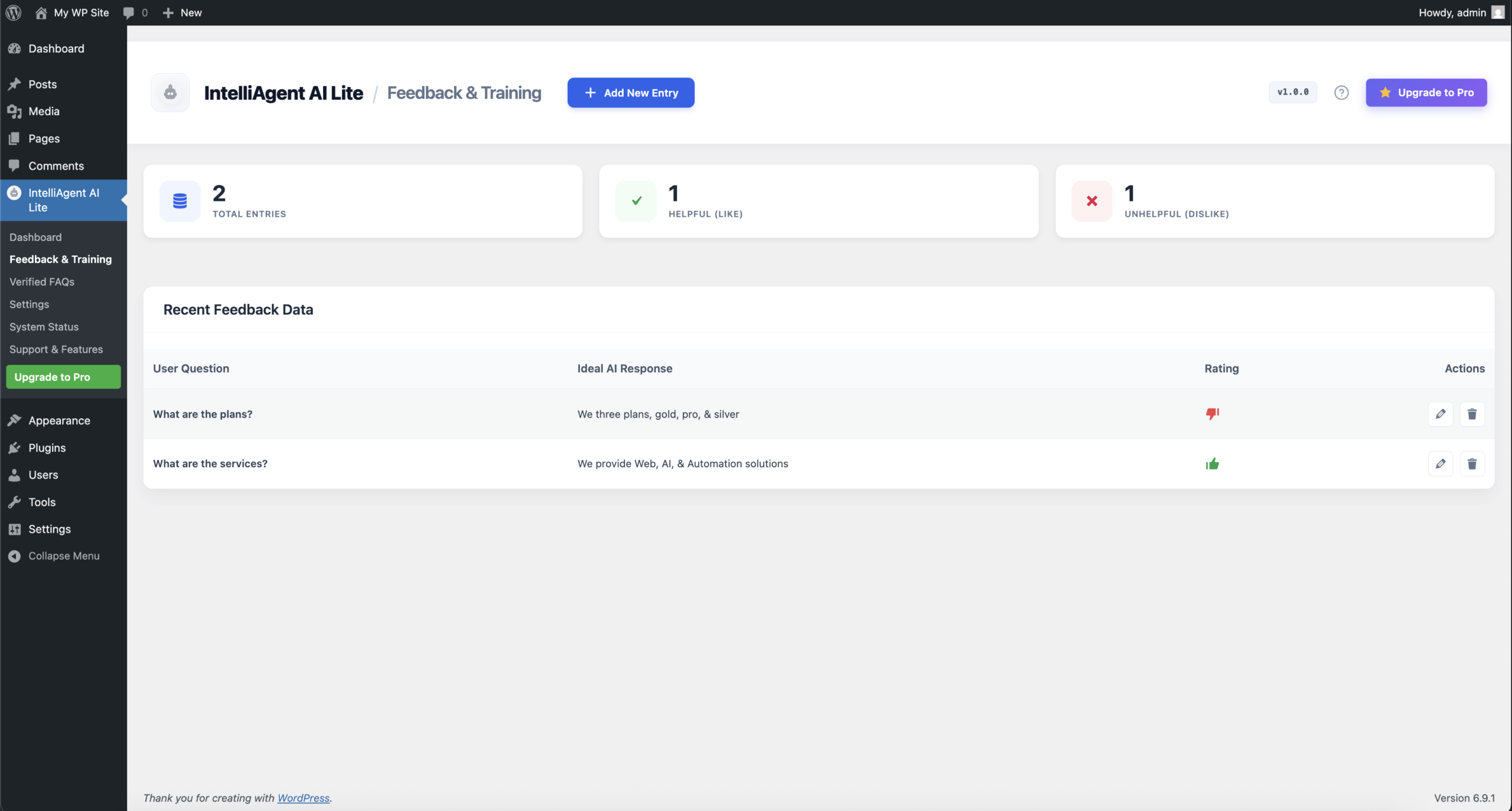
Feedback & AI Training System
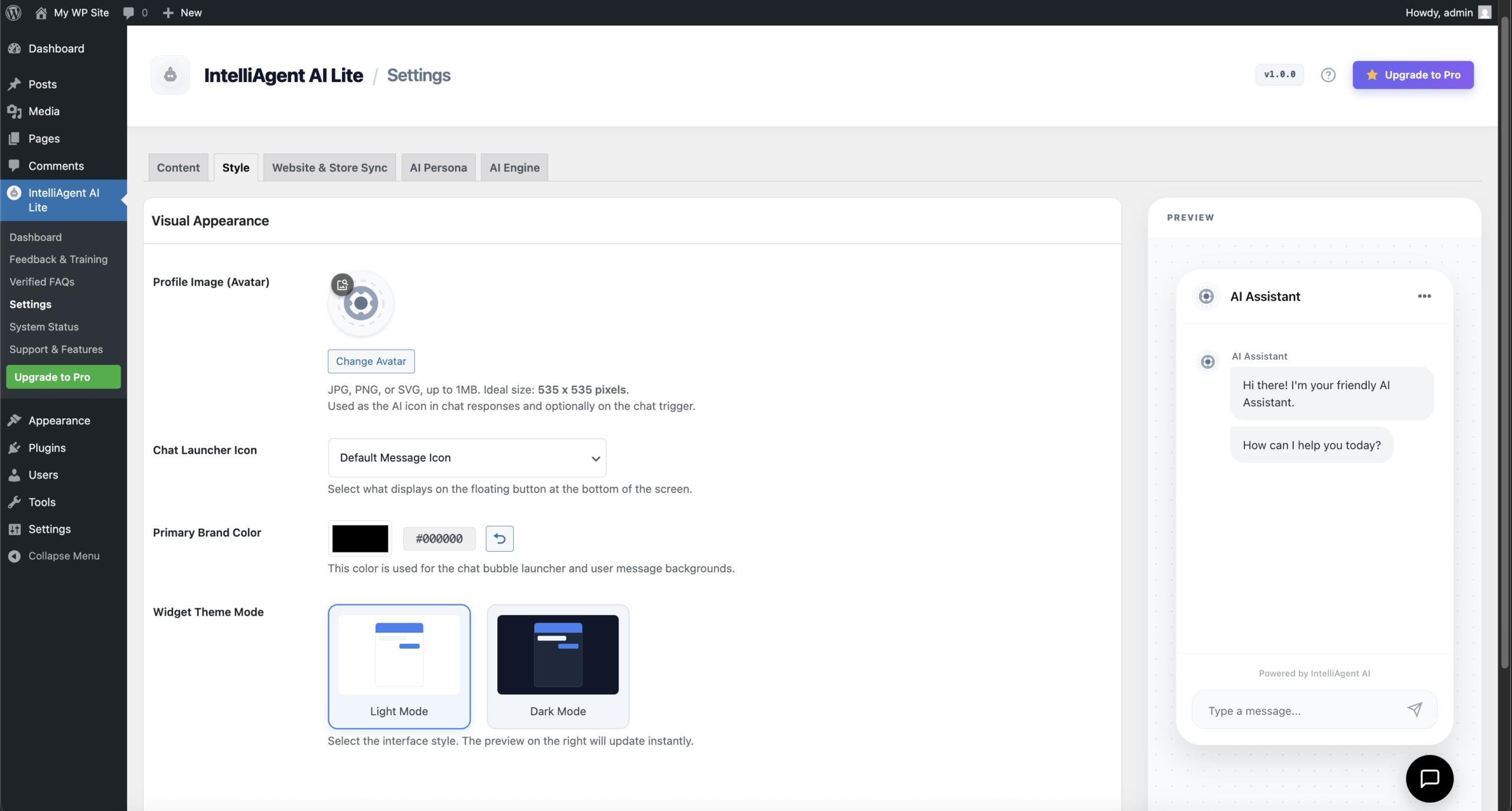
Fully Customizable Branding
Why Choose IntelliAgent AI
Turn Conversations Into Revenue
- Product recommendations powered by AI
- Add-to-cart directly from chat
- Order tracking automation
- 24/7 ecommerce assistance
Smart Knowledge-Driven AI Assistant
- Uses your website content as knowledge
- FAQ and content syncing via automation
- Multilingual AI responses
- Conversation insights & analytics export
Launch Your AI Agent in Minutes
1. Install Plugin
Upload and activate inside WordPress like any plugin.
2. Sync Content & Store
Automatically import pages, FAQs, and WooCommerce products.
3. Go Live
Your AI assistant immediately starts helping visitors and customers.
Watch IntelliAgent AI in Action

Frequently Asked Questions
LIFETIME ACCESS AVAILABLE
Add an AI Sales & Support Agent to Your Website Today
One-time payment. Unlimited automation. Lifetime ownership. Stop losing leads and start closing sales with 24/7 AI intelligence.
Get IntelliAgent AI Now