
WooCommerce Product Recommendation Engine Setup
WooCommerce product recommendation engine setup connects store catalog data with an AI agent that ingests public page content, uploaded files, and metadata to generate personalized product suggestions while ensuring all logs and keys remain stored locally on the server.
Table of Contents
- WooCommerce Product Recommendation Engine Fundamentals
- Data Requirements for WooCommerce AI Recommendations
- Step-by-Step WooCommerce Product Recommendation Engine Setup
- Privacy Compliance in Recommendation Engine Deployment
WooCommerce Product Recommendation Engine Fundamentals
WooCommerce product recommendation engine fundamentals center on ingesting public page content and product metadata to enable context-aware suggestions. The engine processes text, DOM elements, and uploaded PDFs or images directly within the WordPress environment. This approach allows real-time synchronization of the site knowledge base without transmitting sensitive credentials externally.
Data Requirements for WooCommerce AI Recommendations
Data requirements for WooCommerce AI recommendations include structured collection of public pages, uploaded files for grounding, and anonymous user intent signals gathered during chat sessions. All collected items stay within the local database.
| Data Type | Collection Method | Storage Location | Retention Control |
|---|---|---|---|
| Conversation Logs | Chat interactions | WordPress database | Dashboard deletion |
| Product Metadata | Site crawling | Local server | Admin export |
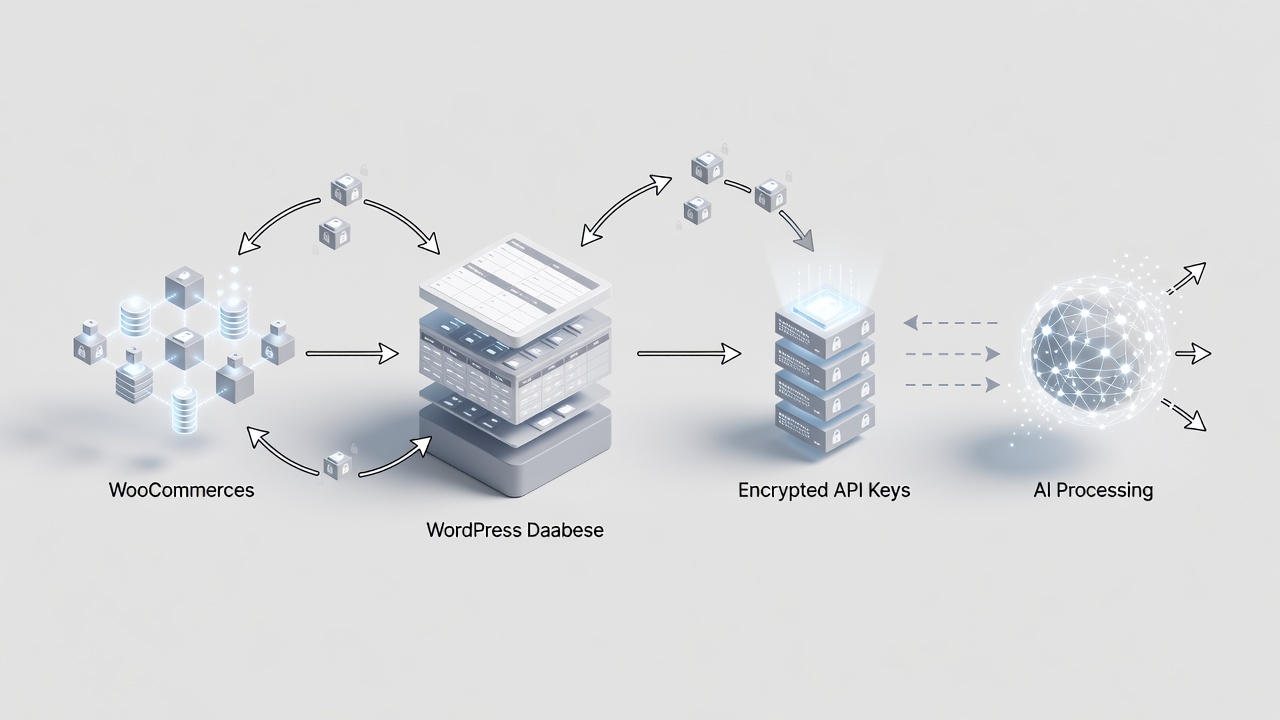
Step-by-Step WooCommerce Product Recommendation Engine Setup
Step-by-step WooCommerce product recommendation engine setup starts with plugin installation followed by adding encrypted API keys for providers such as OpenAI, Google Gemini, or xAI. Keys remain exclusively on the local server. Next, synchronize product pages and files to build the knowledge base that powers accurate suggestions. Administrators activate recommendation logic through the dashboard to begin generating context-aware responses during visitor chats.
Privacy Compliance in Recommendation Engine Deployment
Privacy compliance in recommendation engine deployment requires sending chat data only when necessary for response generation. Payments process exclusively through trusted external providers without any storage on the plugin side. Administrators maintain complete control via CSV export or instant deletion options available directly in the dashboard at any time.
Ready to configure your recommendation engine?
Connect with a Specialist for woocommerce product recommendation engine setup here
Frequently Asked Questions
How long does WooCommerce product recommendation engine setup take?
Setup typically completes within minutes once API keys are configured and content ingestion begins, following local storage practices.
Does the recommendation engine store customer payment data?
No payment information is stored or shared with AI providers during recommendation operations.
Where is recommendation data retained after setup?
All conversation logs and indexed product data remain in your WordPress database with full admin control for export or deletion.
Connect with a Specialist for woocommerce product recommendation engine setup here